We previously discussed why the first program usually starts with “Hello, World!”.
Let me briefly recap the “why”: because without sending a message outward, our program would be a black box. It might perform calculations, account for various conditions, but if it doesn’t output a signal, we will never see the results of its work or understand what it is doing or has done.
Note: Of course, outputting a message is not the only way for a program to make itself known: it can create, delete, or transform files, transfer data over a network, emit a sound signal, play audio or video files, and do much more.
However, the “Hello, World!” example serves another crucial role: it tests the functionality of the entire toolchain—the chain of tools for building the program. This chain is responsible for transforming source code into machine code.
Let’s consider the stages that require an environment:
-
Writing code in a high-level programming language (Python, C, C++, JavaScript).
-
Translation (or compilation) into machine-oriented instructions—simply put, translating from a high-level language into a language the machine understands.
-
Running on the target platform.
The target platform is a combination of the operating system (Windows, macOS, Linux, etc.) and the hardware architecture (x86, ARM, etc.).
Each of these stages requires its own tools (compiler, interpreter, system libraries). Running “Hello, World!” confirms that the entire chain—from writing the code to executing it—works correctly.
Thus, if you managed to run the program and get “Hello, World!"—it means your environment has passed the functionality test!
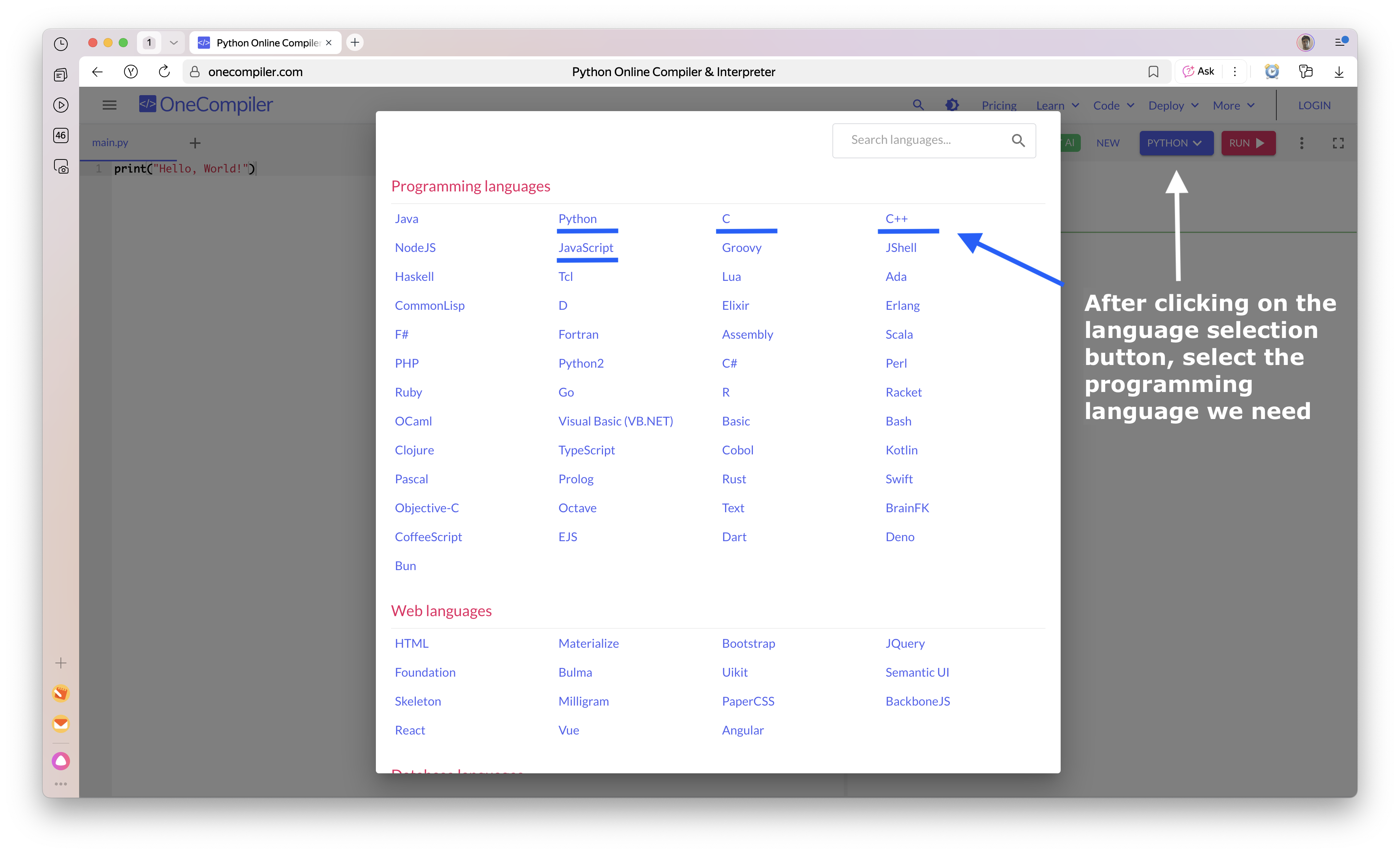
Well then, let’s look at what the “Hello, World!” program looks like in 4 programming languages: Python, JavaScript, C and C++.
Why so many?
Firstly, because I don’t know which language interests you more, so this way you have a choice.
And secondly, by seeing the implementation of the same task in different languages, you will be able to better and faster grasp the main patterns in writing programs and separate the essential from the non-essential.
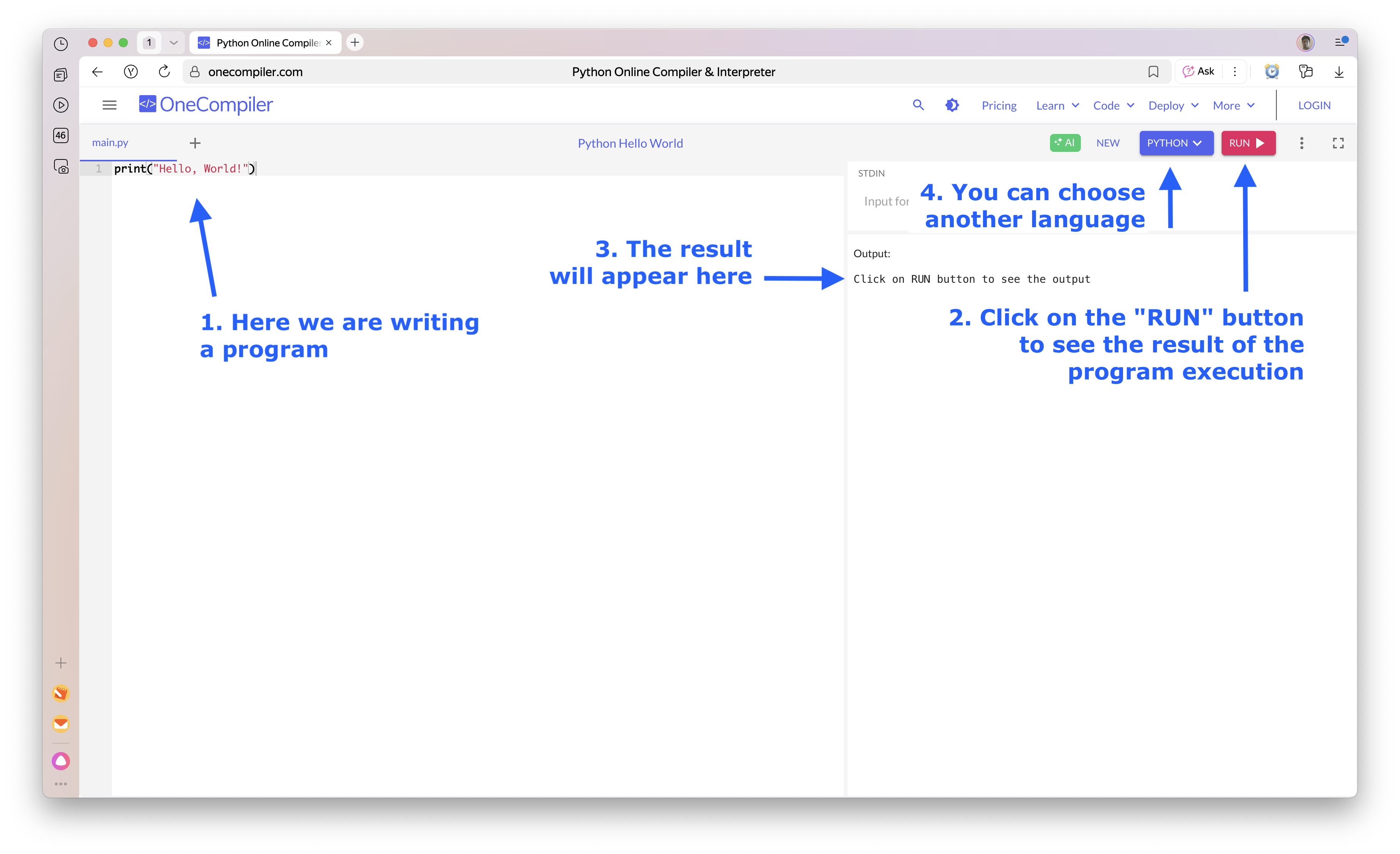
However, in the initial stages, we won’t spend your time setting up the environment but will use so-called online sandboxes—special websites where you can enter your program with one click, run it immediately, and see the execution result.
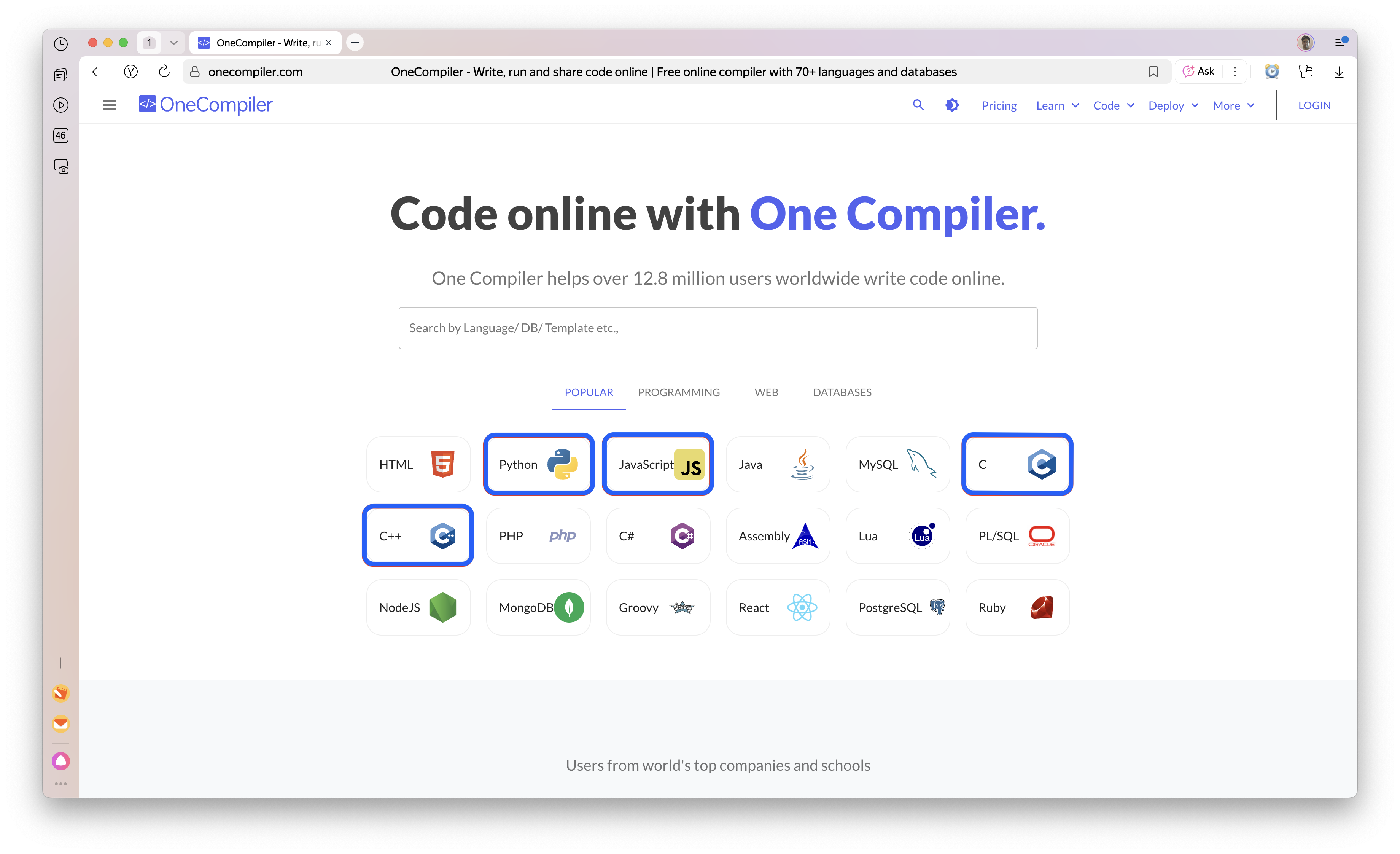
One such sandbox is onecompiler.com
Opening the Online Sandbox and Selecting a Programming Language
Writing the Program and Running It
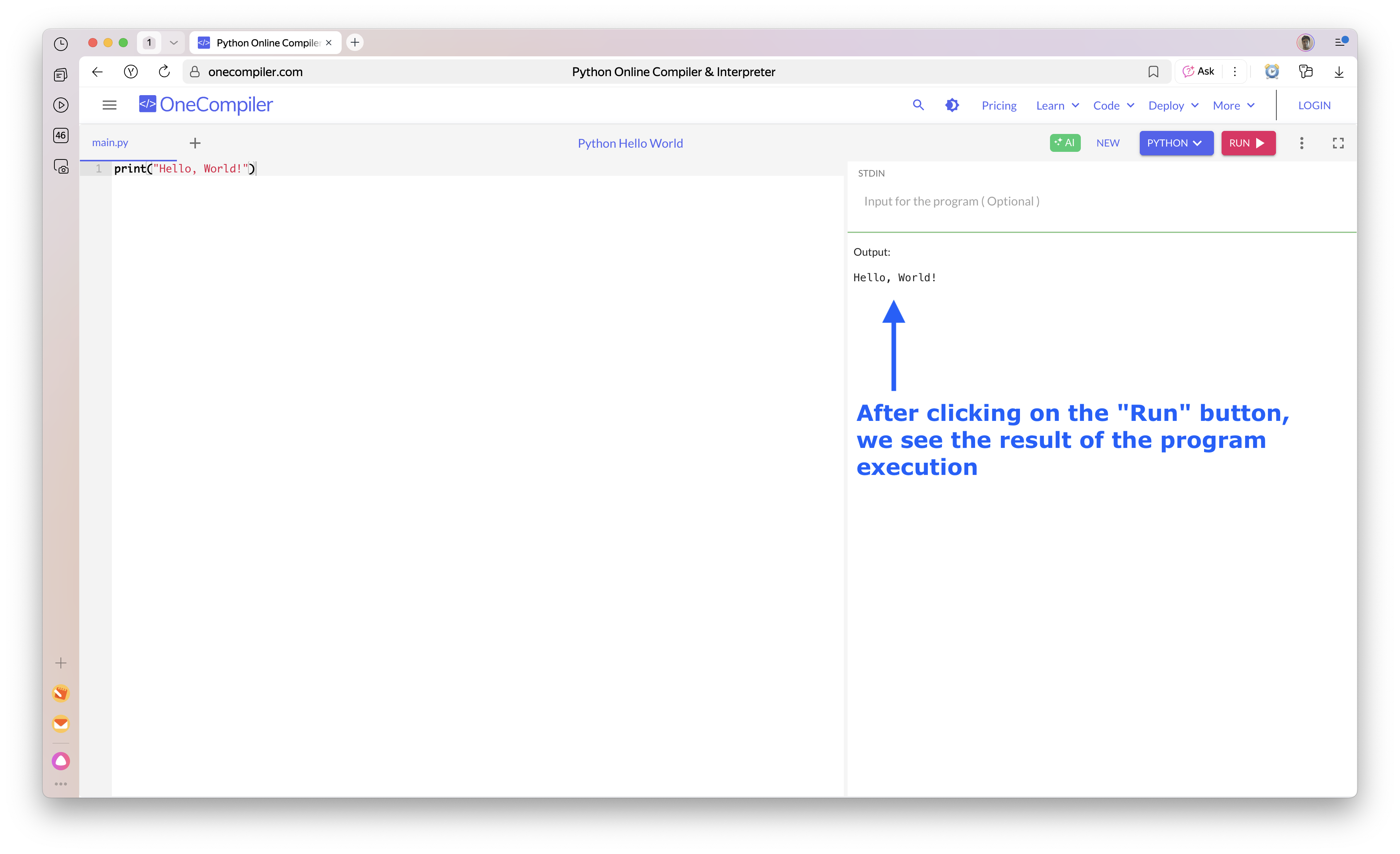
Viewing the Program’s Output
We Can Switch the Programming Language