Now that we understand what a function call looks like, it’s easier for us to see a similar pattern in the code for Javascript:
console.log(...);
Here we see a call to the function log (not print as in Python, or printf as in C), which is passed the text to be displayed.
But you might have three questions:
-
What does
logmean? -
What is
console? -
And why is
console.(with a dot) written before the functionlog?
Let’s figure it all out step by step.
Log, Forest, log!
Let’s look at the definition of the word log. As is often the case in English, a single word can have a multitude of meanings—it can function as a noun, a verb, and even an adjective.
We once talked about how:
the variable name should reflect the essence of what it stores: naming is one of the most difficult tasks in programming: what name to come up with for a variable so that its purpose is immediately clear
The same applies to functions. A function is essentially a command, an instruction, simply put—an action. Therefore, in programming, it is customary to always name functions with a verb or start their name with a verb, for example:
-
print(to print); -
getUserInfo(to get user information); -
setCurrentDate(to set the current date); -
isResponseValid(is the response valid? — in English “is” means “to be,” and in a question the verb comes first, so literally the function name sounds like “is the response valid?”).
So, returning to the word log, we can discard “log” as in a piece of wood, “logbook,” “journal,” and similar words, and settle on “to register, to log, to record in a journal.”
In programmer slang, they often say “to log.”
Remember, when we talked about why everything starts with the “Hello, World!” example, we said that it is very important first to learn to see what the program is doing during its operation. For this, the program must be able to output messages about its current activity either to the screen or to a special file.
If a program writes all its events to a file, such a file is called a log file or event log.
Console
Once upon a time, computers occupied entire rooms, and the operator had a special device—a console (control panel) with a screen and keyboard—through which they “communicated” with the computer.
The modern console in a browser or IDE (Integrated Development Environment) is its digital descendant, which:
-
provides a virtual window for “communicating” with the program;
-
is the place where the program leaves its “notes” (logs);
-
allows you to see what the program “thinks” or how it works.
And the console.log function outputs its messages exactly there.
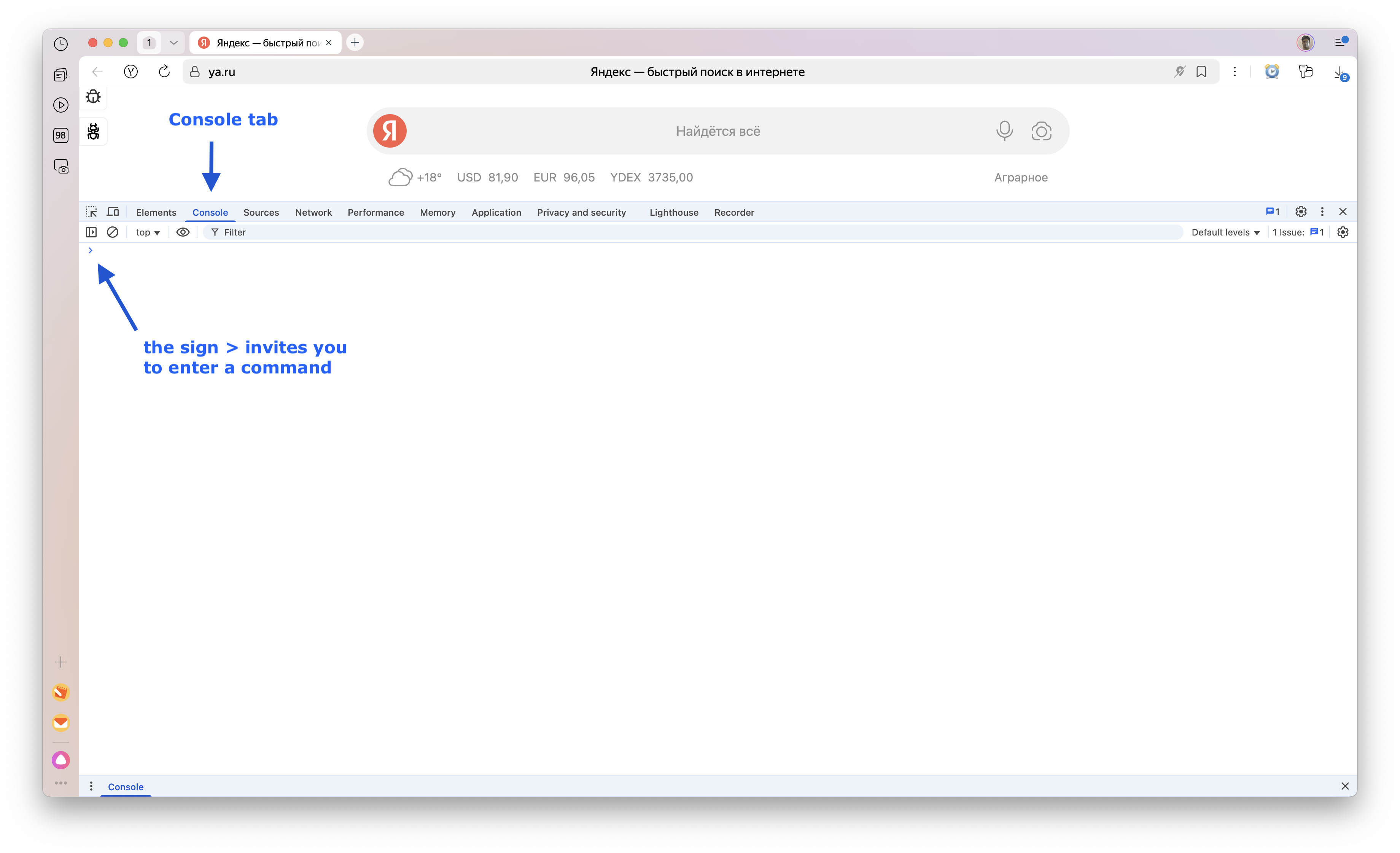
To find the console in your browser:
-
Press
F12in the browser. -
Find the
Consoletab and switch to it. -
There it is—our console!
-
Now you can type
console.log("Hello, World!");after the>prompt and immediately see the result—the string"Hello, World!".
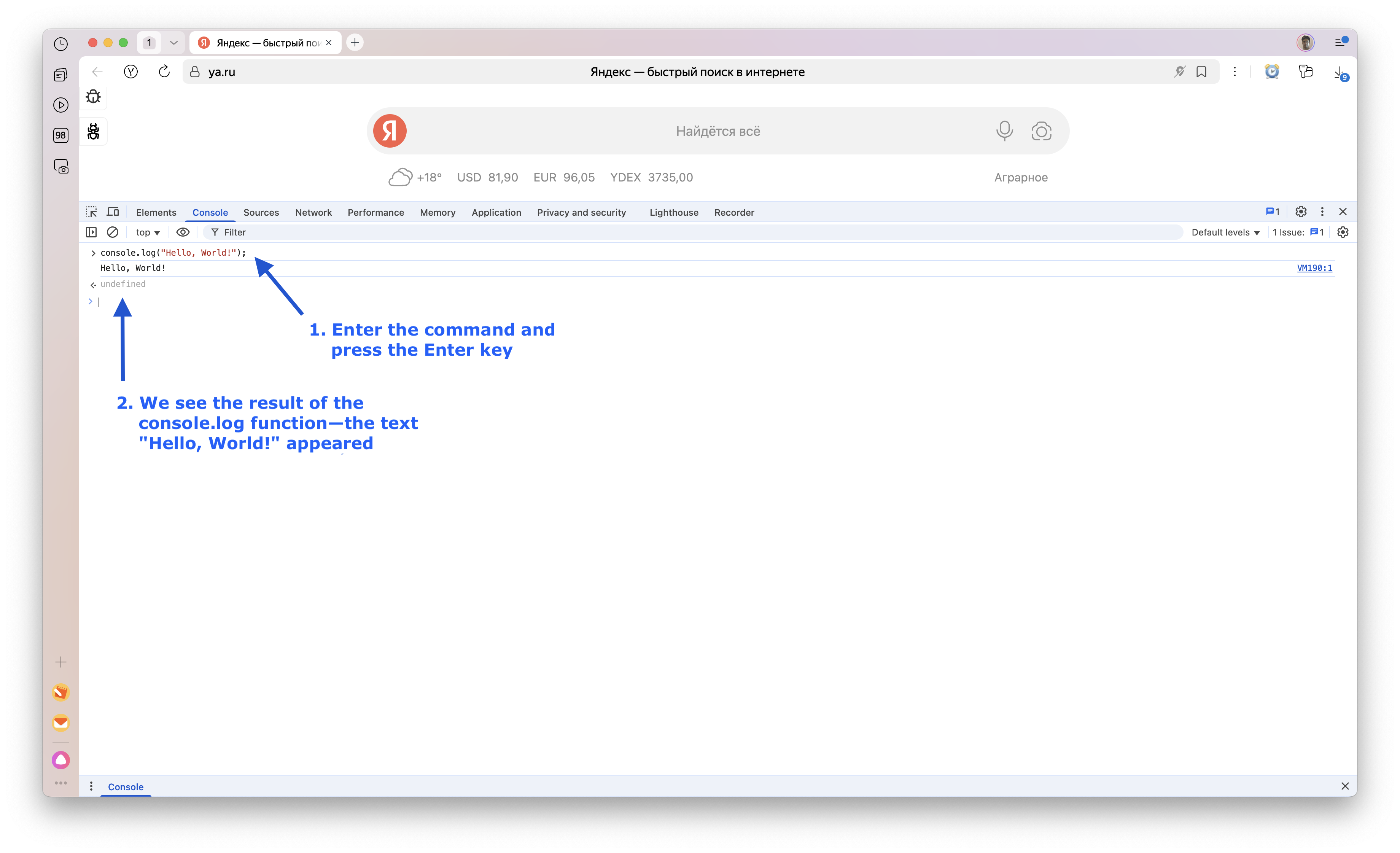
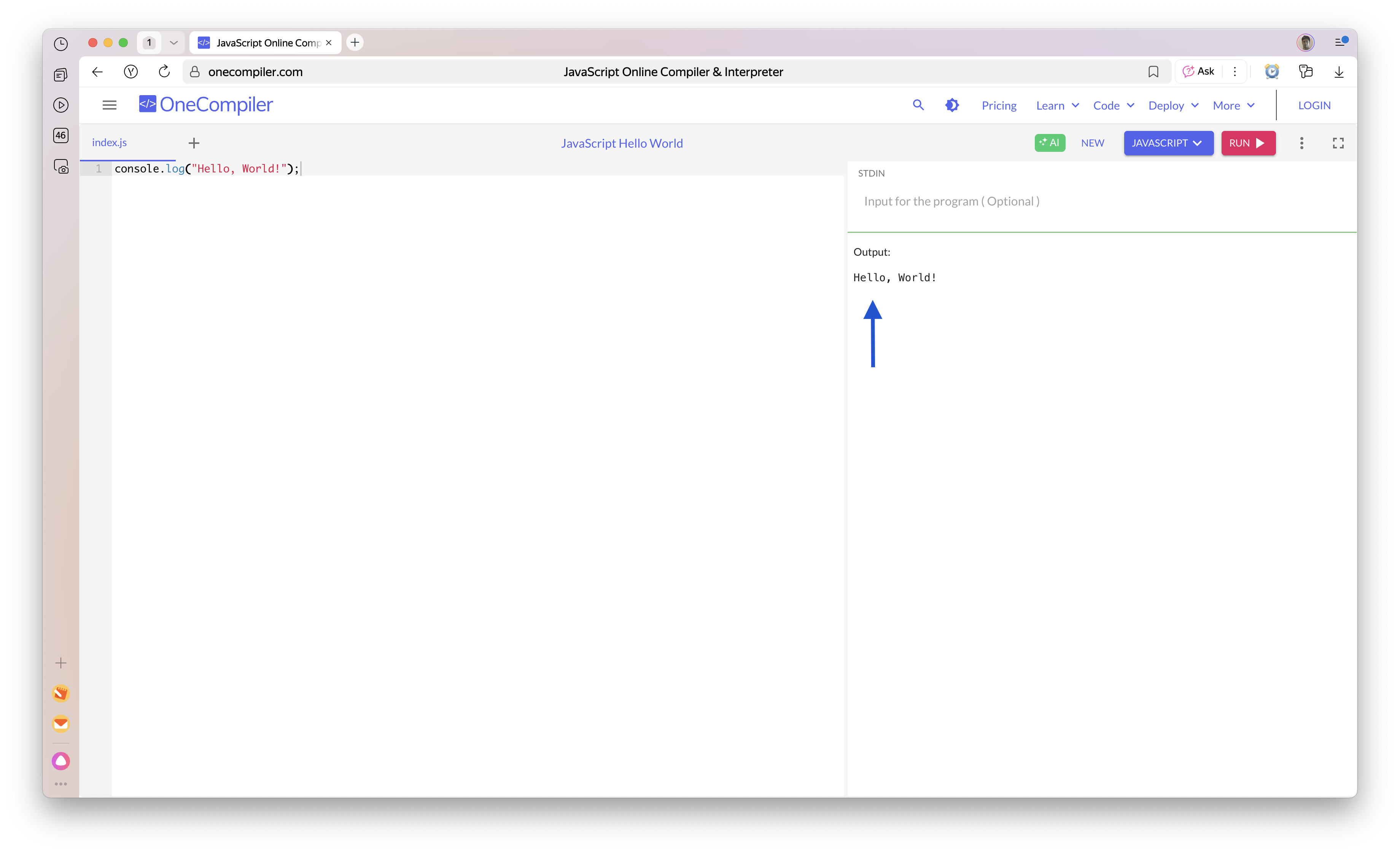
But since we are currently working in a sandbox, all messages resulting from the execution of console.log will appear in the Output window:
About the Dot After Console
And we have one last question: why is the function called console.log, and not, for example, logToConsole (log to console)? Or just log?
A truly complete answer to this question touches on a huge topic: OOP — Object-Oriented Programming. But for now, we won’t dive that deep and will limit ourselves to a simpler explanation.
Imagine you want to output not only regular messages to the console but also warnings and errors. Then you would have functions: warnToConsole (warn to console) and errorToConsole (output error to console).
As you can see, the same pattern would repeat in all three functions: ToConsole, because all these functions would relate to the console:
-
logToConsole -
warnToConsole -
errorToConsole
The creators of Javascript decided: why not introduce an object console, which would have its own functions log, warn, and error. And they would be called via a dot: console.log, etc.
Well, we’ll talk about this in more detail when we start exploring OOP.